A DIGITAL BOOKSHELF
Books that move like real books.
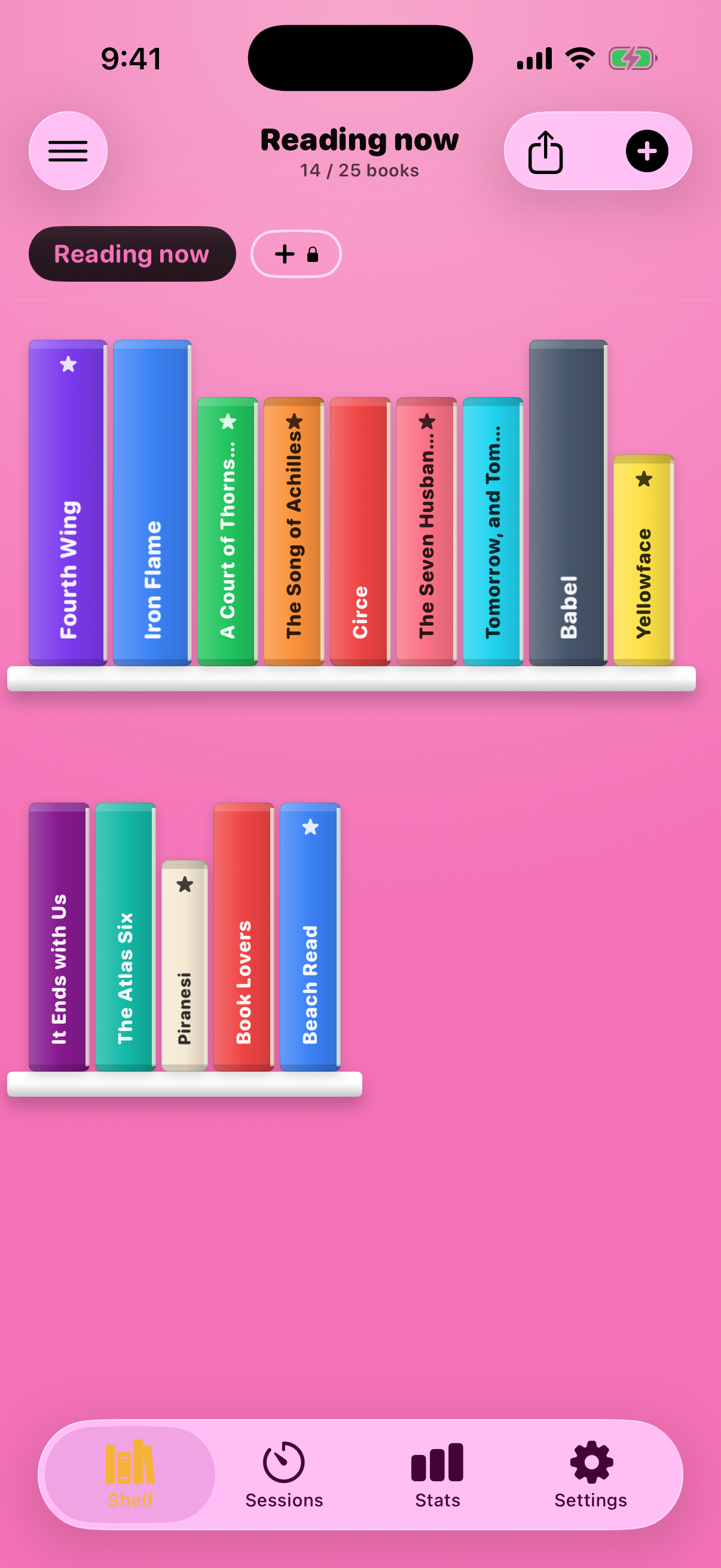
Spine is a bookshelf for readers who ran out of wall. Long-press a book, feel it lift, slide it home — real spines, real widths, on a shelf you rearrange with your thumb.
Download on the App StoreFree to start. Spine+ from $1.99/mo — or $19.99 once, yours forever.
THE PROBLEM
Your library isn't a spreadsheet.
Goodreads treats the books you love like rows in a database. Cover thumbnail, star rating, next. The trackers that came after made the data prettier — and left the books flat.
But nobody falls in love with metadata. You fall in love with the object: the spine you cracked, the thick fantasy brick next to the thin poetry paperback, the shelf you rearrange on a Sunday for no reason at all.
Spine starts there. A shelf, made of books, that move.
What you get
A shelf first. A tracker second.
THE WEDGE
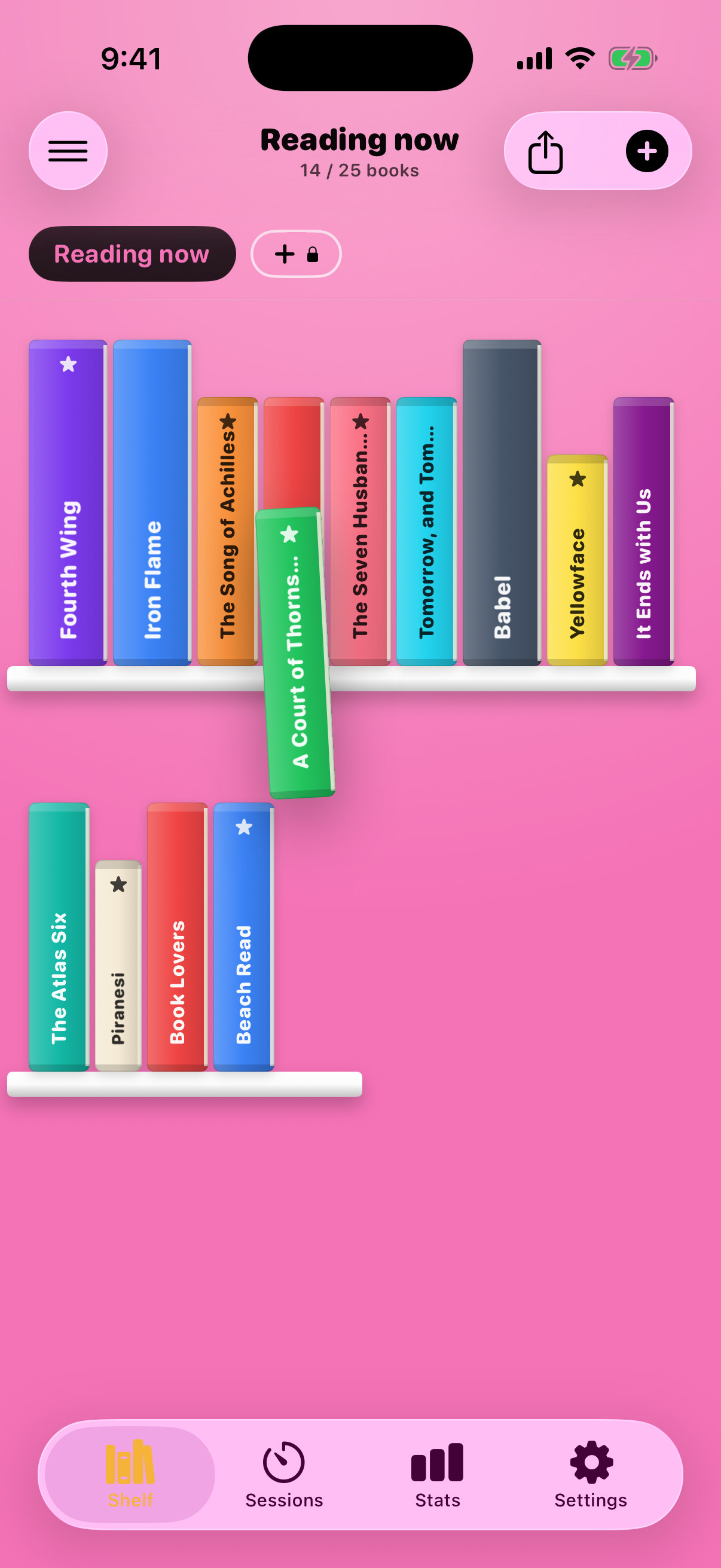
Drag. They make room.
Long press and the book lifts off the shelf with a soft click of haptics. Slide it and its neighbors shuffle aside. Drop it on any shelf — it lands with a little bounce. Like rearranging the real thing, minus the dust.
THEMES
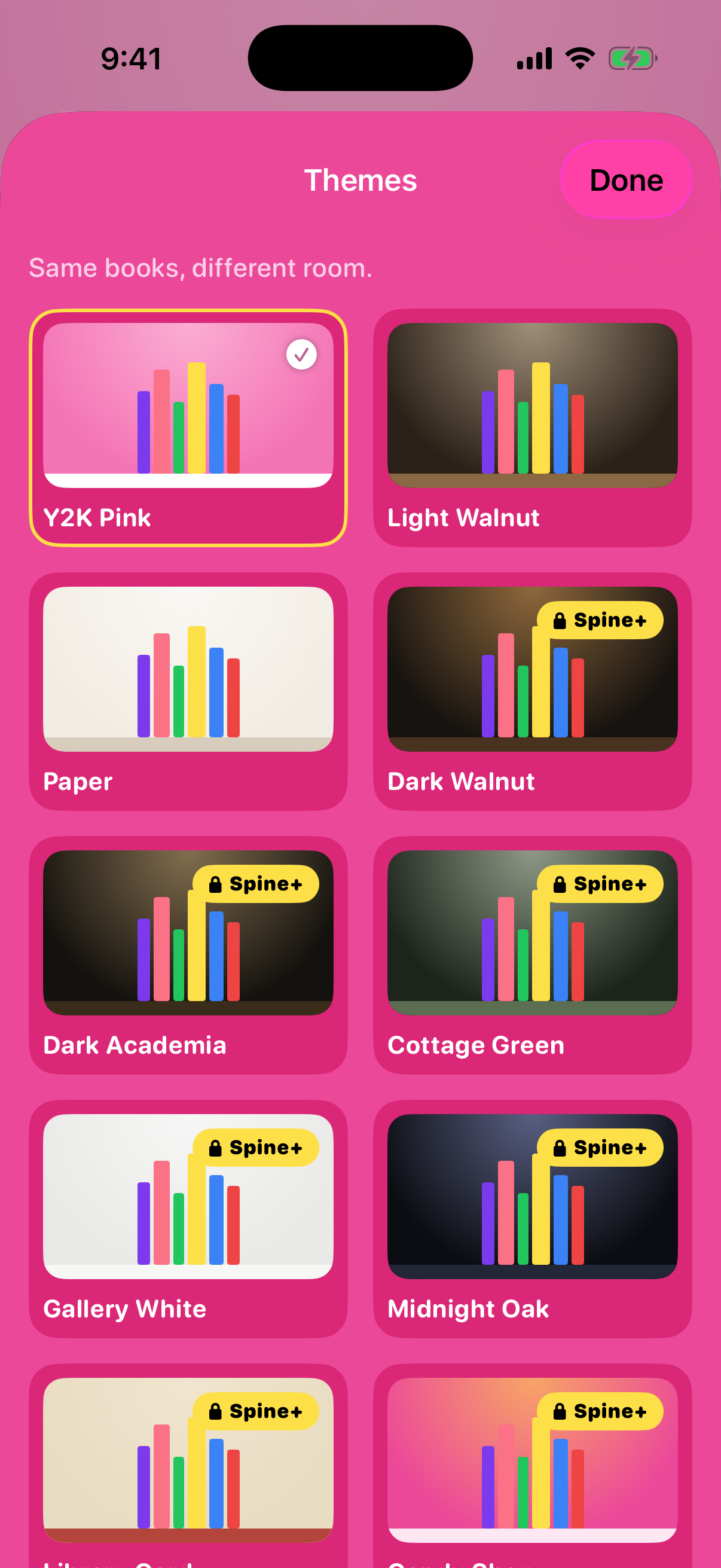
Same books, different room.
Ten shelf themes — Y2K pink, dark academia, cottage green, candy shop, more. One tap and the wood, the light, the whole mood changes. Your books stay put.
SHARE
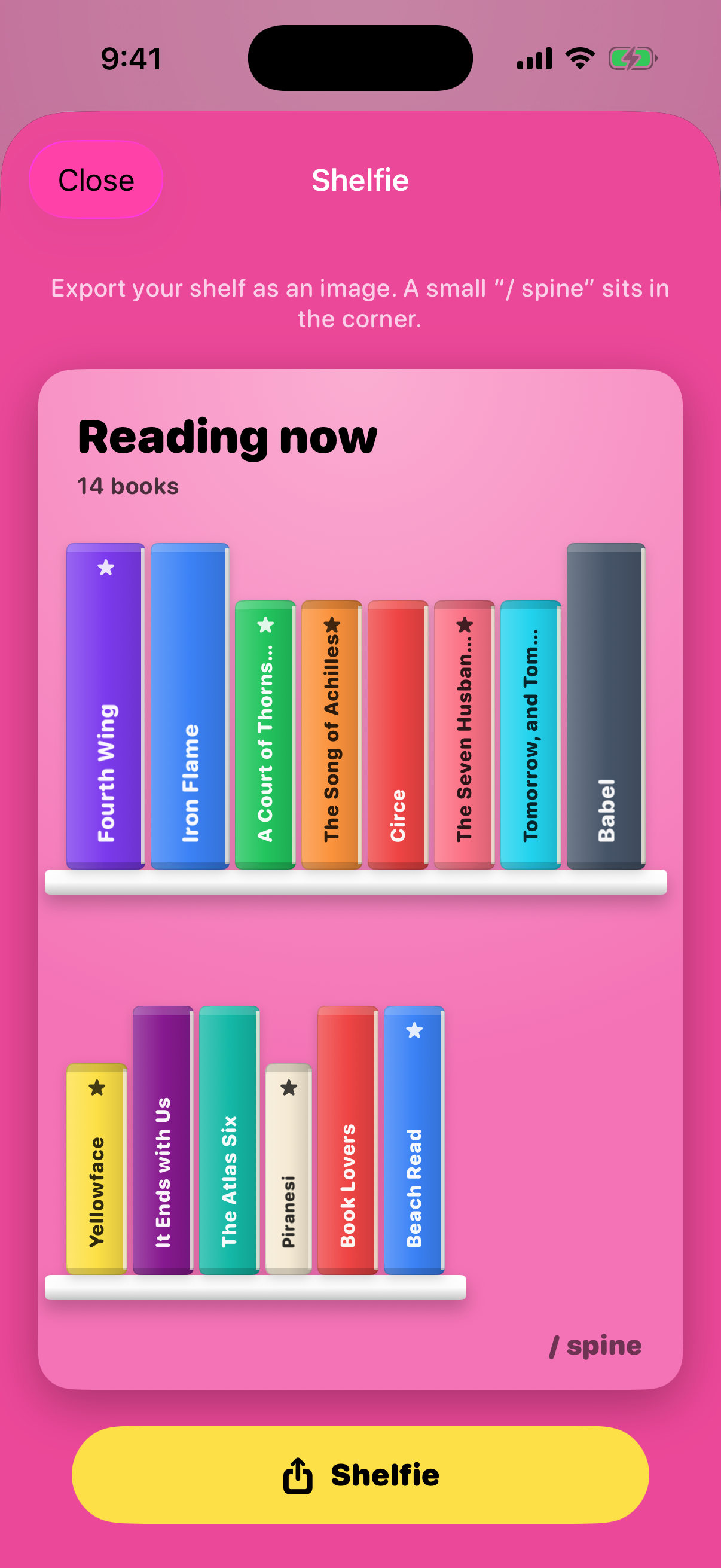
A shelfie, in one tap.
Export your shelf as a clean image, sized for TikTok and Stories, with a small “/ spine” resting in the corner. Your shelf is the post.
SESSIONS & QUOTES
Quiet stats. Saved lines.
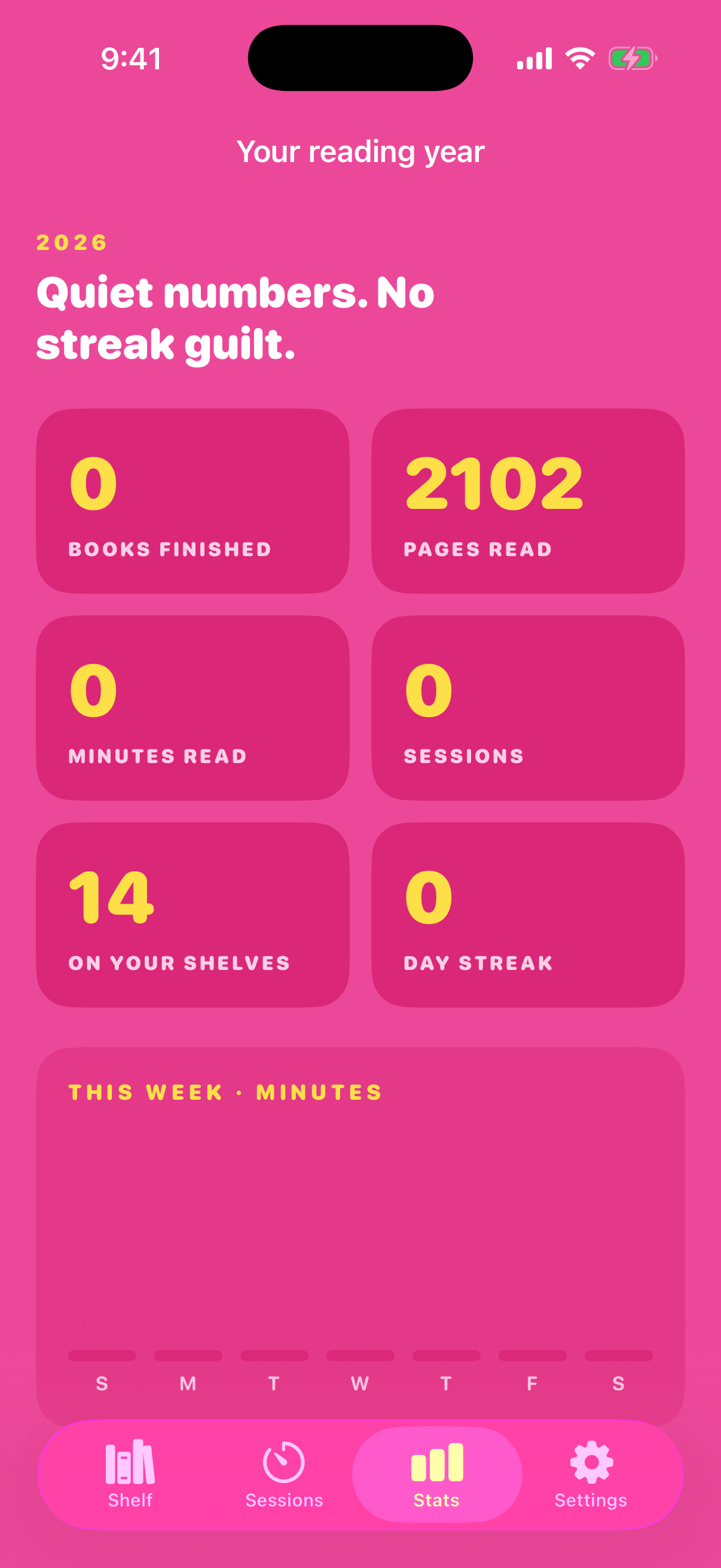
Start a session when you sit down to read; Spine keeps the pages and the minutes. Point the camera at a page to save the sentence that stopped you. No streak guilt, ever.
In their words
Readers who got their shelves back.
“My real books are in boxes at my mom's. This is the first app where I can still SEE them. I rearranged shelves for an hour the first night.”
Mackenzie R.
storage-unit library · 212 books
“The drag thing is stupidly satisfying. The little bounce when a book lands? I made my roommate watch.”
Dani L.
BookTok · 40 books this year
“Goodreads always felt like filing taxes for my hobby. This feels like owning books again.”
Priya S.
recovering Goodreads user
“Posted my October shelf as a shelfie and three people asked what app it was before lunch.”
Jules C.
dark academia shelf, obviously
“I own maybe 30 physical books because my apartment is 400 square feet. On Spine I own all 300, and the thick ones are thick. It matters.”
Abby K.
studio apartment · zero wall space
“It's less per year than the hardcover I bought yesterday. And the Forever price exists, which tells you they're not playing subscription games.”
Tess W.
annual plan, first week
PRICING
Less than a paperback.
Start free with 25 books, one shelf, three themes. Spine+ removes every limit — unlimited books and shelves, all ten themes, sessions, stats, quotes, and shelfies. Pick how you'd like to pay.
Monthly
$1.99
per month
Everything in Spine+, by the sip. Cancel in your App Store settings any time.
Annual
$9.99
per year · about $0.83 a month
A year of Spine+ for less than one hardcover. The plan most readers pick.
Forever
$19.99
one time
Your library, yours forever — no subscription.
Subscriptions renew until cancelled — manage or cancel anytime in your App Store settings. Forever is a single purchase, no renewal. Every plan unlocks everything.
Every book you love, on a shelf that moves.
Build your shelf in two minutes. Drag a book just to feel it. Post the shelfie.
Honest answers
What you might be wondering.
Is Spine really usable for free?+
Yes — 25 books, one shelf, and three themes, forever, with no ads. Spine+ removes the limits: unlimited books and shelves, all ten themes, reading sessions and stats, quote capture, and the widget. $1.99/month, $9.99/year, or $19.99 once.
What does “Forever” mean, exactly?+
One payment of $19.99 and Spine+ is yours for good — no renewal, no expiry, and it survives reinstalls through Restore Purchases. Subscriptions are for people who'd rather sip; Forever is for people who'd rather own. Same features either way.
How do my books get in?+
You add them by hand in a few taps — title, author, page count — then pick a spine colour, height, and thickness so each book looks right on the shelf. The thick ones look thick. Barcode scan and title search are on the roadmap.
Can I import from Goodreads or StoryGraph?+
Goodreads CSV import is planned for v1.1 — export your library from Goodreads and Spine will shelve it. At launch you add books by hand; it goes quickly once you get going — most people shelve their current reads in one sitting.
How do I cancel?+
Subscriptions are billed by Apple through your Apple ID and cancel in your App Store account settings in about four taps — we never see your card and there's no retention flow. A subscription renews unless cancelled at least 24 hours before the period ends.
Is my library private?+
Your shelf lives on your device. No account required, no ads, no selling of reading data. The only thing that ever leaves your phone is a shelfie image you choose to share.
Is Spine on Android?+
Not yet — Spine is iPhone-first because the drag interaction leans on Apple's haptics. If it earns its keep, Android is the first thing we'll consider.